All categories

.

.

24 — MONTHS — WARRANTY

Brother's goal is to be on your side and provide the best customer service. We back this up with a free 24 months warranty.

WARRANTY TERMS

24 months warranty is valid if:

  • The product has been used in accordance with the product instructions;
  • Only genuine Brother consumables and accessories have been used with the device;
  • The device was purchased from our official partners, wholesalers or from their websites with a saved proof of purchase (invoice or receipt).

To take advantage of the warranty, please contact the dealer from whom you purchased the device.

24 months waranty

Terms and conditions

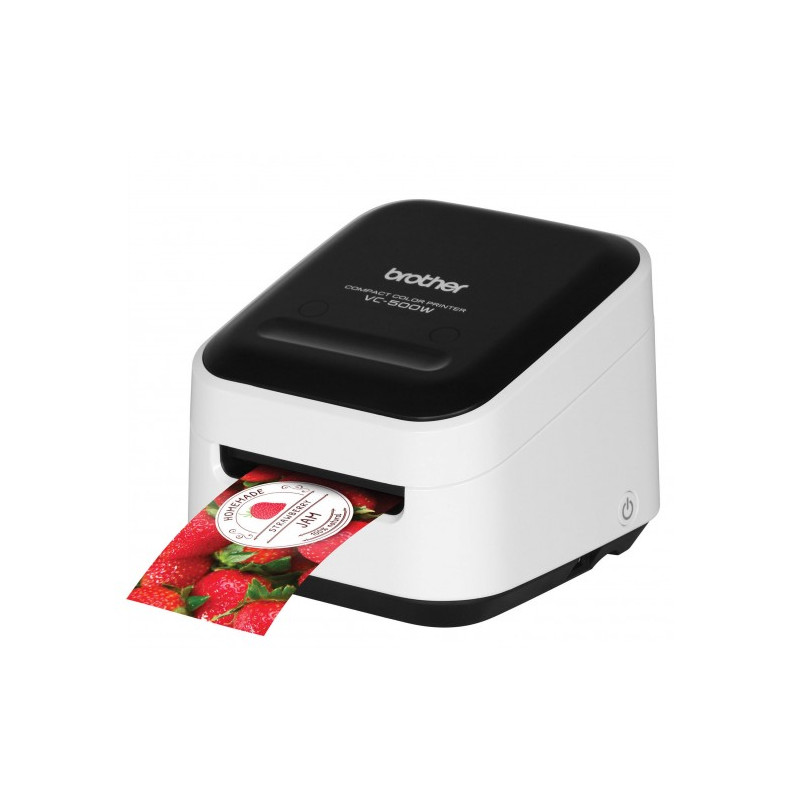
Label printer BROTHER VC-500WZ1

You will be rewarded with 139 points

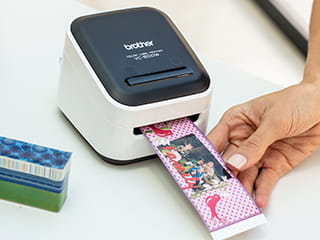
The Brother VC-500WZ1 is Brother’s first compact desktop multi-colour label printer that can print labels in any colour combination. It is ideal for colour-coding documents, files and archives, as well as colour labels with logos or photo-quality images. Wireless and USB connectivity allow you to print from a PC or Mac using P-touch Editor software, or from Apple and Android devices using the Brother Color Label Editor app.

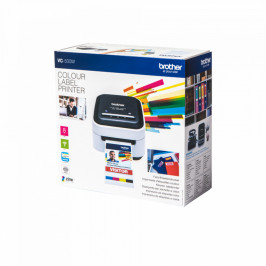
The printer comes with: printer, AC adapter, USB cable, quick setup guide, power cord, print head cleaning roll, CZ-1004 25mm colour continuous label roll (5m).

View full details
Delivery Price Quantity
1 - 2 d.d.
168.24 €
5


Contact us for delivery times Inform

Related Products
Product Details
#C500WZ1

MPN
VC500WZ1
Printing method
ZINK
Connection interface
USB WiFi
Warranty (months)
24
Printing width
From 9 to 50 mm
Dimensions
113 x 116 x 96 mm
In the box
Printer, AC adapter, USB cable, Quick Setup Guide, Power cord, Printhead cleaning roller, CZ-1004 25mm color continuous label roll (5m)
Printing speed
8 mm/s
Printing from a mobile phone
Yes

Specific References

EAN13
4977766779265
Description

Flexible label lengths

The Brother VC-500WZ1 uses a continuous tape in a cassette that is easy to insert, so label lengths are not limited to preset formats. You can create and print labels up to 420mm long, customizing them for a specific project or message. The integrated cutter ensures a neat cut every time, so labels look precise in both the office and creative environments.

Creative freedom for crafts and personalization

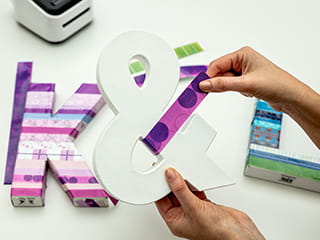
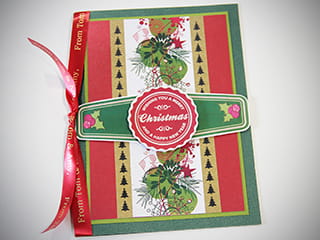
Printed color labels can be used immediately or turned into personalized bookmarks for books, photos and other objects. Printed designs can be cut, shaped and glued to a variety of works, combining with other craft materials. It is a convenient solution for adding more expression and variety to projects - from simple stickers to more complex decorative elements.

ZINK® Zero-Ink® technology – no ink and no mess

The VC-500WZ1 uses ZINK® Zero-Ink® printing technology, which produces colors without ink – crystals in the paper form a colored image when exposed to heat. This means there are no ink cartridges, no drips or mess, making the device particularly convenient for creative workshops and educational activities. Such technology allows you to focus on the idea and the result, and not on operational concerns.

Convenient control from your computer and phone

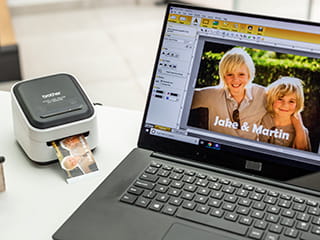
The printer can be connected to a PC or Mac via USB or Wi-Fi and create labels using the Brother P-touch Editor software. It is convenient to upload images, add frames, pictures or other elements to the designs to make the information clear and visually appealing. You can also print from iOS or Android devices using the Color Label Editor app, which offers a wide range of illustrations, fonts, backgrounds and frames, and you can also upload photos from your gallery or social networks.

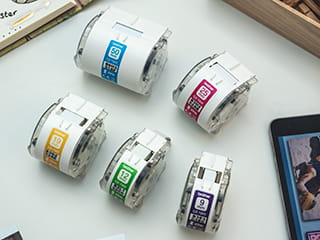
Label tapes in different widths and creative ideas

You can choose from five label widths - 9, 12, 19, 25 or 50 mm. Narrower tapes are suitable for small details or delicate patterns, while wider ones are suitable for bright designs or colorful photos. Choosing the right width means less tape is wasted when cutting printed designs. Step-by-step ideas, such as birthday gift basket or home decoration projects, help you get creative, showing you how to practically apply the printer to everyday situations.

Spausdintuvo insturkcija

337946.png Duomenų lapas - Anglų kalba                                                                              Download free icon Atsisiuntimai


337946.png Naudotojo vadovas - Lietuvių kalba                                                                   Get it on Google Play Badge - PNG and Vector - Logo Download       File:Available on the App Store (black) SVG.svg - Wikimedia Commons

chat Comments (0)
No customer reviews for the moment.

other products in the same category